Why AI business automation stalls
You bought the tools. You wired up the APIs. And your AI business automation still isn't paying for itself, or worse, your team quietly stopped trusting it. You already know the use cases. What you can't figure out is why the payoff never showed up.
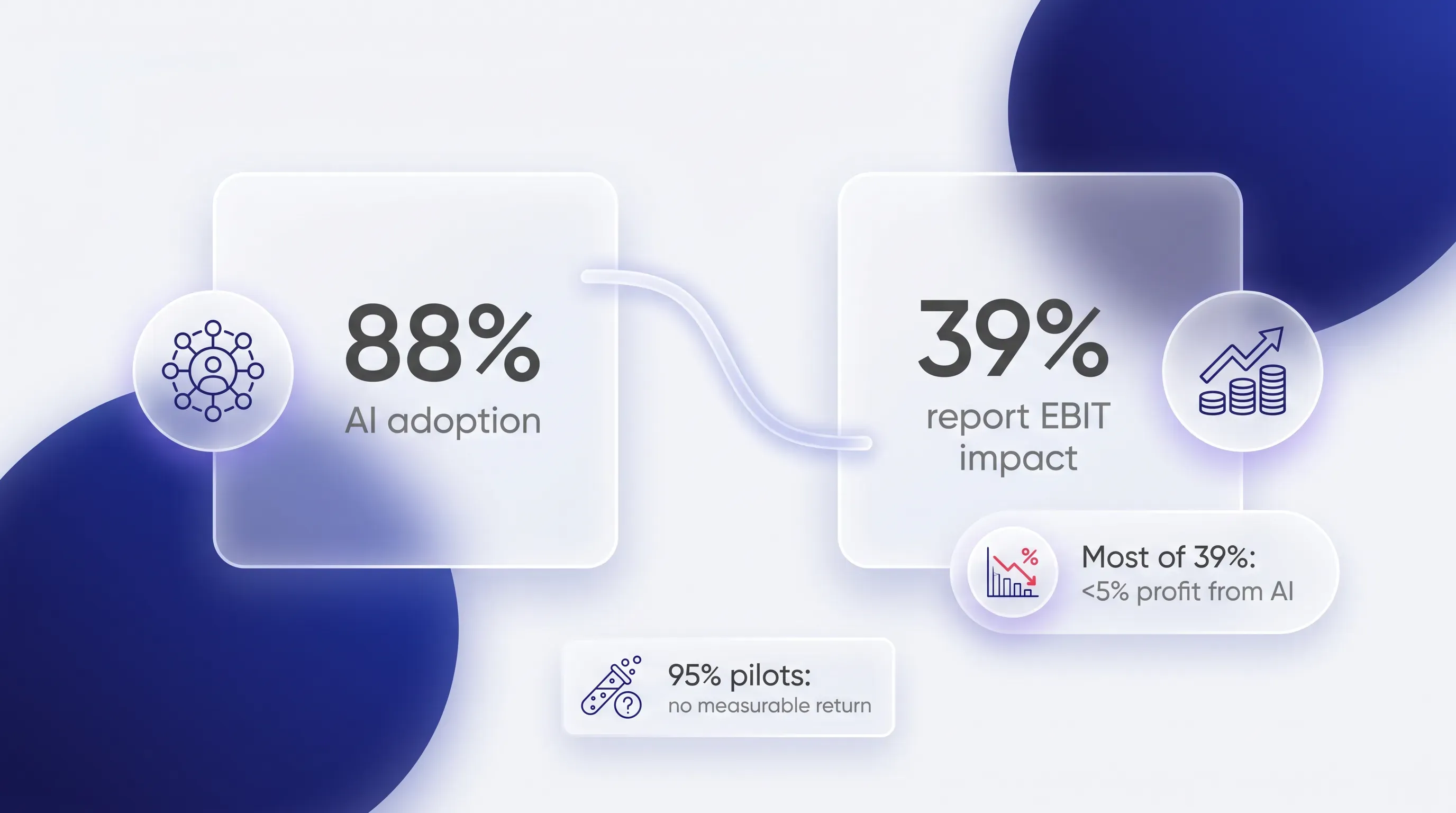
Here's the number that frames the whole problem. McKinsey's 2025 State of AI survey found that 88% of organizations now use AI in at least one business function. But only 39% report any EBIT impact at the enterprise level, and most of those say it accounts for less than 5% of profit. MIT's NANDA initiative put it more bluntly. Their 2025 report found that about 95% of pilots deliver no measurable return.

That gap isn't a tooling problem. Every team at your size has the same models and the same Copilot. The gap opens because nobody redesigned the work around what AI business automation is actually good and bad at. You dropped a capable model into a process that still assumes a human sits at every step, and then you wondered why nothing downstream moved.
The three layers of automation maturity
AI business automation matures across three layers, and skipping one is where projects break. Most teams jump straight from the first layer to the third. They automate a single task, then expect the system to start making decisions on its own, as if handling one isolated action taught it to run an entire process.
This is the lens to carry through the rest of the piece. When your automation stalls, it's almost never because the model is weak. It's because you asked a layer-one setup to do layer-three work and left out the connective tissue in between.
Task automation
The first layer automates a single, isolated action. Drafting a reply. Tagging an incoming email by topic. Pulling the line items off an invoice so nobody retypes them. Each of these is one discrete thing the model does well, and this is where almost every team starts.
It feels like progress because you can watch the AI do the work in front of you. But in AI business automation, task automation alone rarely moves a business metric, because everything around that task stays manual. The invoice gets read, then a person still opens the accounting system and carries the entry through approval. You sped up one step in a chain that's still moving at human speed everywhere else.
AI workflow automation
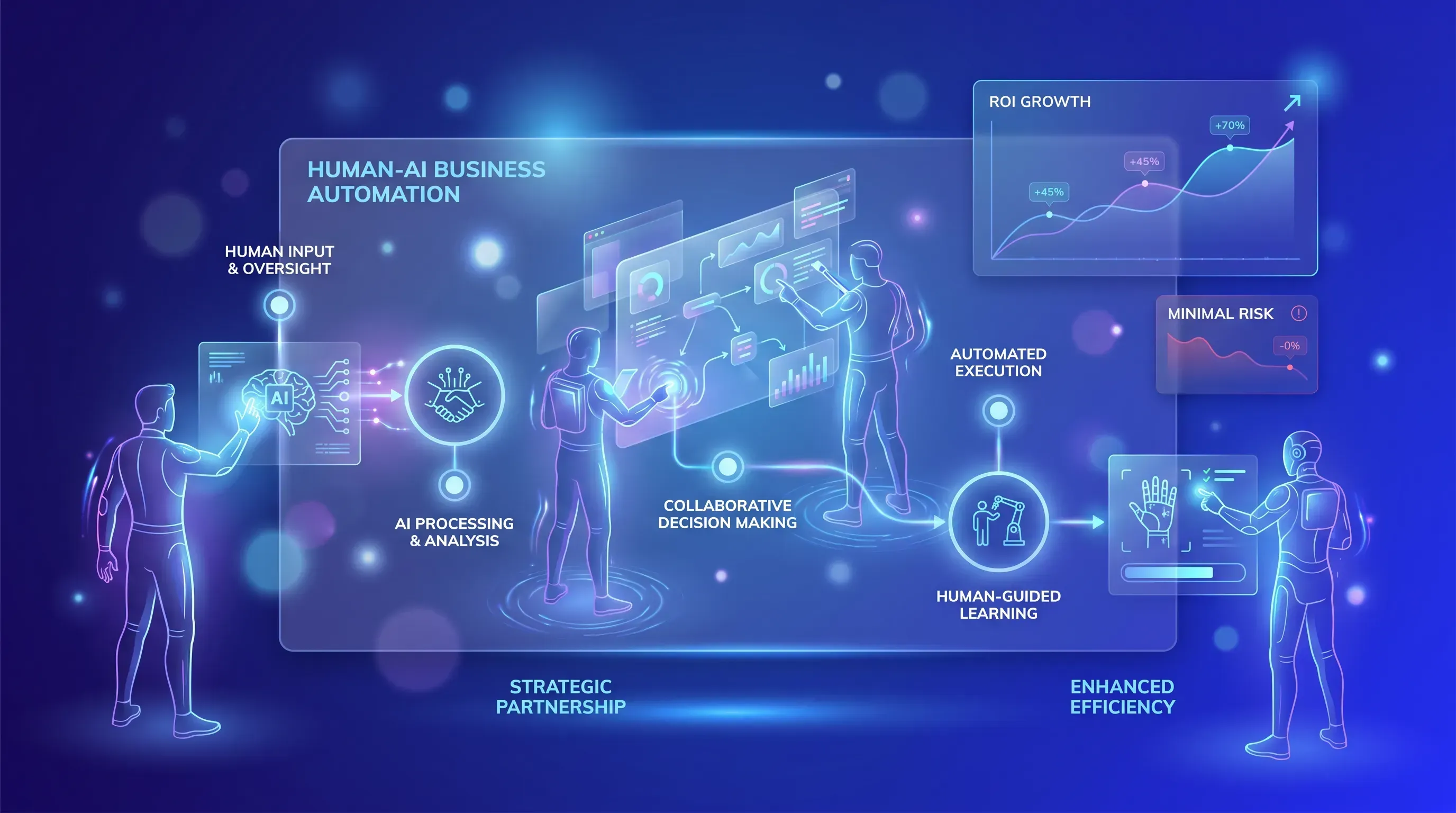
The middle layer is AI workflow automation, and it's the one most teams skip. This layer connects those isolated tasks into an end-to-end AI workflow automation sequence. It adds system integration so outputs land back in your core tools. It also adds business rules that decide what happens next and a deliberate human checkpoint at the point where judgment matters.
Real return on investment lives here, which is why bypassing it is the most common way projects stall. AI outputs need a validation step and a path back into the systems your team actually works in, or they sit uselessly to the side. A tagged email that never triggers the next action is just a tidier inbox. AI workflow automation is what turns a clever task into a process that finishes on its own and shows up in a metric you care about.
Think of the middle layer as three jobs done together:
-
Integration, so the AI output flows into your core system instead of a separate tab
-
Business rules, so the sequence knows what to do with a high-confidence result versus an ambiguous one
The third job is the human checkpoint, placed where a wrong answer would cost you the most. Get that placement right and the whole workflow holds. Get it wrong and you're back to a stalled pilot.
Decision automation
The top layer lets the system make and act on judgment calls with little or no human review. This is the layer teams rush toward, because it's the one that sounds like the future. And it's where AI business automation does the most damage when the workflow underneath it isn't solid yet.
Attempt decision automation before the middle layer proves reliable and you get confident wrong decisions at speed. The model acts immediately: lead disqualification and outbound messages happen a thousand times before anyone notices the pattern is off. This layer is earned. It only makes sense once a workflow has run long enough to prove it holds up, and the danger of skipping ahead is clearest when you look at real workflows.
Where teams skip the middle layer
So let's look at three you'll recognize. In each one, the model itself works fine. What breaks is the placement of the human, and the recurring lesson is the same across all three: pull the human out too early and you lose output quality along with the internal trust that keeps people using the system at all.
Here's the pattern in each workflow, side by side:
| Workflow | Broken "before" | Corrected "after" |
|---|
| Support tickets | AI auto-resolves or misroutes with no review | AI classifies and drafts, human approves edge cases |
| Lead qualification | AI scores and discards leads unseen | AI ranks and enriches, rep confirms before disqualifying |
| Content approval | AI drafts publish without review | AI drafts, human owns final approval and voice |
Support ticket routing
In the broken version, the AI reads an incoming ticket and either resolves it outright or routes it, with nobody checking either call. That's fine until it confidently tells a customer something false. Air Canada learned the cost of this the hard way. In Moffatt v. Air Canada, the British Columbia tribunal held the airline liable after its chatbot gave a grieving customer wrong information about bereavement fares. "It should be obvious to Air Canada that it is responsible for all the information on its website," wrote tribunal member Christopher Rivers. "It makes no difference whether the information comes from a static page or a chatbot."
The fix moves the checkpoint to one exact spot. AI still classifies every ticket and drafts every reply, so you keep the speed. But edge cases, which are anything the model isn't confident about, route to a person before the answer reaches the customer. That single checkpoint is what stops confidently wrong responses from going out under your name. Support is a strong first workflow to rebuild because volume is high and mistakes surface fast, so you learn quickly whether the redesign holds.
Sales lead qualification
The broken version has AI score every inbound lead and silently discard the low scorers. Nobody sees what got thrown away. The problem isn't the ranking, which the model does well. AI-driven scoring can lift conversion sharply, with one analysis reporting 75% higher conversion rates against traditional methods. The problem is the silent false negative, the real buyer the model misread and deleted before a human ever knew they existed.
So the checkpoint moves to the disqualification step. Let the AI rank and enrich leads all day. But a rep confirms before any lead gets marked dead. That protects revenue from the mistakes you'd otherwise never see, and it's a good candidate for early, measurable return, because you can compare conversion on AI-prioritized leads against your old rules and watch the difference in the pipeline.
Content approval pipelines
Here the broken version publishes AI-generated content with no human between draft and live. The speed is real. So is the exposure. Gartner's research on commerce AI found that up to 30% of recommendations contained hallucinations, fabricated statements that read as plausible right up until a customer or a journalist catches one. Google lost $100 billion in market value in a single day after its Bard demo published a factual error.
The corrected AI business automation pipeline keeps the AI as the drafter and puts a human on final approval and brand voice. That checkpoint sits between draft and publish, which is where reputational damage is cheapest to prevent and where you still keep almost all the speed gain. The judgment got relocated to the one point where a wrong output does lasting harm, and the same principle applies across all three cases.
Audit which layer you're stuck at
Run this against your own setup right now. Answer each with a plain yes or no.
-
Do your automated tasks connect end to end, or does a person manually carry the output from one step to the next?
-
Is there a human checkpoint anywhere in the flow, and if so, does it sit at the point where a wrong answer costs the most?
-
Do AI outputs flow back into your core systems, like your CRM or helpdesk, or do they land in a separate tab nobody acts on?
-
Does anyone on the team actually trust the results enough to stop double-checking them?
Most teams running this discover they're stuck between the first two layers. The tasks work in isolation, but the outputs never make it back into the tools people live in, and the checkpoint sits in the wrong place when it exists at all. That is an unfinished AI implementation, and that distinction lets you fix the right thing instead of buying another tool.
Moving from pilot to rollout
Once you know your starting layer, treat the path to a wider rollout of your AI implementation as a sequence. A resource-constrained team doesn't have a data science department to absorb a failed big-bang launch, so the whole point of a first pilot is to prove the workflow redesign works before you scale it.
Start with a single workflow that has high volume and visible errors, which is why support routing is the right first pick. Then, before you change anything, record your baseline. Current resolution time or current conversion, depending on whatever the workflow's real metric is. Skip this and your AI implementation has no way to prove it worked, because you'll have nothing to compare against.
Then define what a meaningful result looks like ahead of time, so your return is provable. Here's the sequence for one pilot:
-
Pick one high-volume workflow where errors show up fast
-
Record baseline metrics before you touch the process
-
Rebuild it as a connected flow with the human checkpoint in the right spot
-
Define the number that proves it worked, then run it long enough to trust the result
Expect the early gains to be modest. That's normal, and it's fine. A pilot that reliably shaves handling time and holds team trust is worth far more than a flashy launch that breaks the first week. The purchased-and-partnered approach also helps here, since MIT found bought solutions succeed about 67% of the time against roughly a third for internal builds. Prove the redesign on one workflow, then a clean AI implementation on the second one goes faster because you already know where the checkpoint belongs.
Relocate judgment, don't remove it
Successful AI business automation moves human judgment to the highest-leverage point in the process. The middle layer is where that move happens, and skipping it is what breaks both trust and return. That's the whole argument in one line: the checkpoint lets you move fast and avoid confident mistakes. If you're stuck between task automation and a real workflow, Pollume helps early-stage startups build AI business automation with the human checkpoints in the right place, so your automation holds instead of quietly breaking.