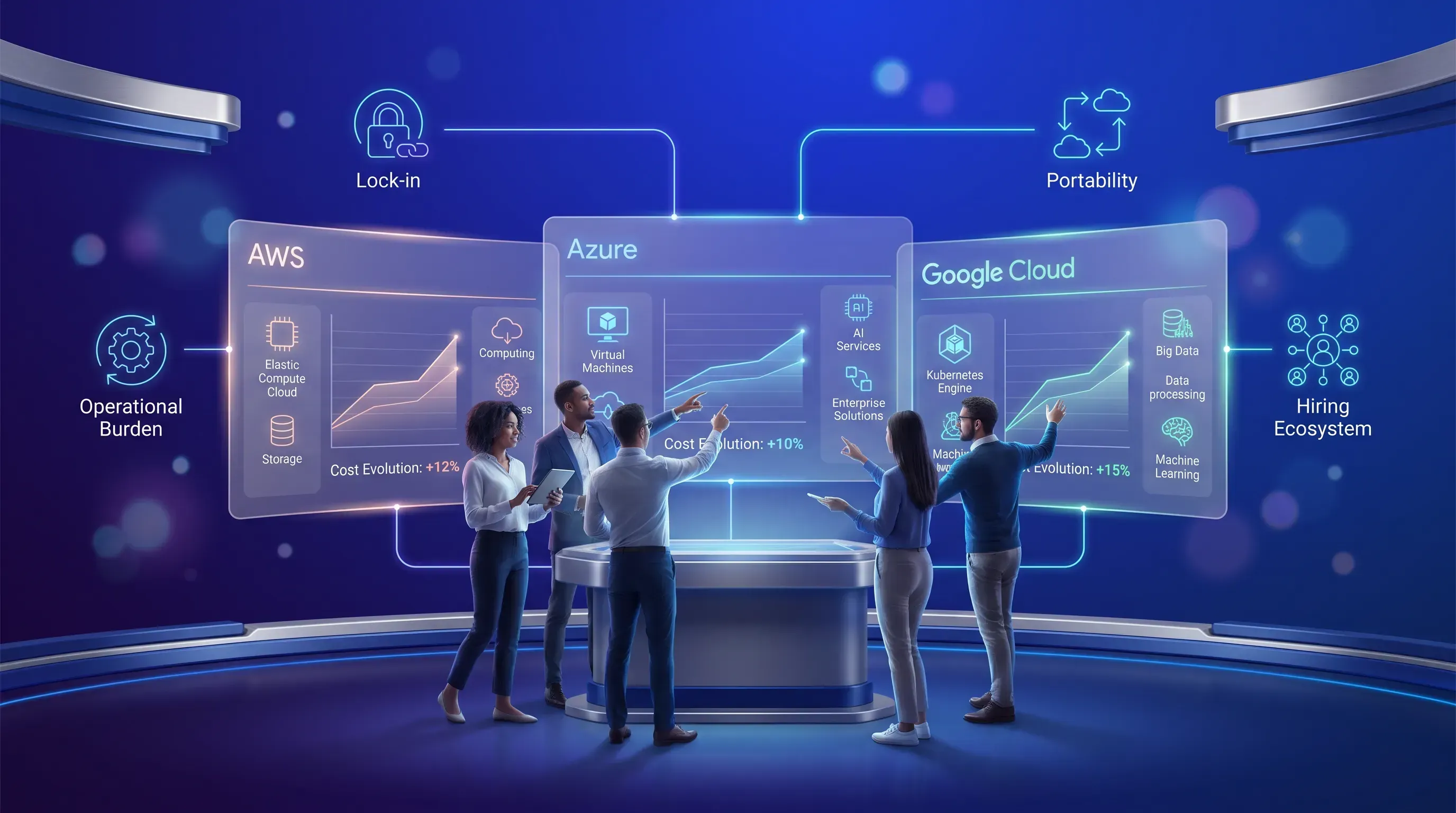
A futuristic digital workspace featuring a startup team interacting with glowing holographic panels for AWS, Azure, and Google Cloud.

AWS vs Azure vs GCP for Startup Teams Choosing Cloud Platforms

This article compares cloud for startups on the major platforms for early-stage teams building a first production system without a dedicated infrastructure hire. It works through credits and real monthly costs as it covers managed Kubernetes and the switching risk you take on with each choice.

Content authorNikita SivtsovPublished onReading time13 min read

AWS vs Azure vs GCP

The AWS vs Azure vs GCP question arrives at the worst possible moment: you have a prototype and about a week before someone has to commit. Feature-matrix comparisons won't help you here. Every one of the three big cloud providers can run a web app and a database.

What separates them in your first year is narrower than the marketing suggests. You have finite runway. Nobody on the team wants to own infrastructure full-time. You don't know whether you'll have 200 users or 200,000 by December. And the credits that make the decision feel free expire on a schedule that has nothing to do with when your revenue arrives.

So the real question in AWS vs Azure vs GCP is which platform costs you the least engineering attention at your current stage and still leaves the door open at the next one.

Compare startup realities

Eight things actually decide AWS vs Azure vs GCP, and price per virtual CPU sits low on the list. Start with the shape of your workload, because a document-heavy SaaS product and a model-training pipeline have almost nothing in common operationally. Then look at what your engineers already know, since a team fluent in .NET and a team fluent in Go will hit different walls on the same platform.

Credits come third. They shift when you feel cost. Support access matters more than teams expect, because a 24-hour response time on a production incident is an outage extension. Then there's the ongoing operational burden of keeping the thing running, which for a five-person team is measured in evenings.

The last three criteria are about the future. Can this platform get you through an enterprise security review faster? Can you hire people who know it? And what does the bill look like at month 14, when the credits are gone and traffic has tripled?

  • Workload shape and expertise on the team you already have

  • Credit terms, including what services they cover and when they expire

  • Support tier and response times you get without paying enterprise rates

  • Operations work per week to keep production healthy

  • Buyer ecosystem, hiring pool, and realistic post-credit spend

Pre-seed cloud for startups

At pre-seed, the goal in AWS vs Azure vs GCP is a working product in front of users, and the cheapest path there is the one with the fewest concepts to learn. Google Cloud has the shortest distance from empty console to running service, mostly because Cloud Run takes a container and gives you a URL without asking about virtual private clouds or subnets. That saves days, and days are the currency you're short on.

AWS gives you more services than you need and a console that assumes you know which ones. The default path to a production web app involves more decisions. The July 2025 change matters here too: new accounts opened after July 15 now get a $100 credit with another $100 unlocked through onboarding tasks, and the plan ends after six months or when the credits run out. The old twelve-month free tier is gone for accounts created since.

Azure at pre-seed makes sense in one situation, which is a team already writing C#. App Service and Azure SQL feel native if you came from Visual Studio, and Microsoft's entry credit tier asks for nothing beyond business verification. If that's not your team, Azure gives you the steepest console and the least community writing about your exact error message.

Series A workload fit

Once traffic is real, workload shape starts to dominate in AWS vs Azure vs GCP. Google Cloud is the strongest default for AI and machine learning work, because BigQuery and Vertex AI are wired together and Gemini pricing starts at $0.10 per million input tokens on Flash-Lite. You'll write less glue code to get from raw events to a trained model than you will anywhere else.

For e-commerce, AWS has the deepest catalog of things you'll eventually need, from managed search to payment-adjacent event handling. The engineering cost is that AWS makes you assemble the pieces. Nothing about a production AWS setup is automatic, which is fine when you have someone who enjoys that work and expensive when you don't.

Data-heavy SaaS splits the difference. If your analytics load is spiky and unpredictable, BigQuery's on-demand model at $6.25 per TiB scanned with the first TiB free each month costs less than keeping a warehouse warm. If your queries run on a steady schedule, Redshift Serverless bills from a floor of 8 Redshift Processing Units at $0.36 per RPU-hour in Virginia, which is predictable but not cheap when idle.

Enterprise-bound teams

If your buyers are large companies, the security questionnaire is a real cost center, and Azure shortens it. Microsoft Entra ID is one of the three identity providers, alongside Okta and Google Workspace, that show up on nearly every enterprise security review. Supporting the identity system your buyer already runs removes a round of back-and-forth that otherwise eats weeks of a sales cycle.

AWS carries its own credibility, and no procurement team has ever rejected a vendor for running on it. Google Cloud sits third in that conversation, though its position has improved as its share of infrastructure spend climbed to 14 percent in Q1 2026 against AWS at 28 and Azure at 21, per Synergy Research Group.

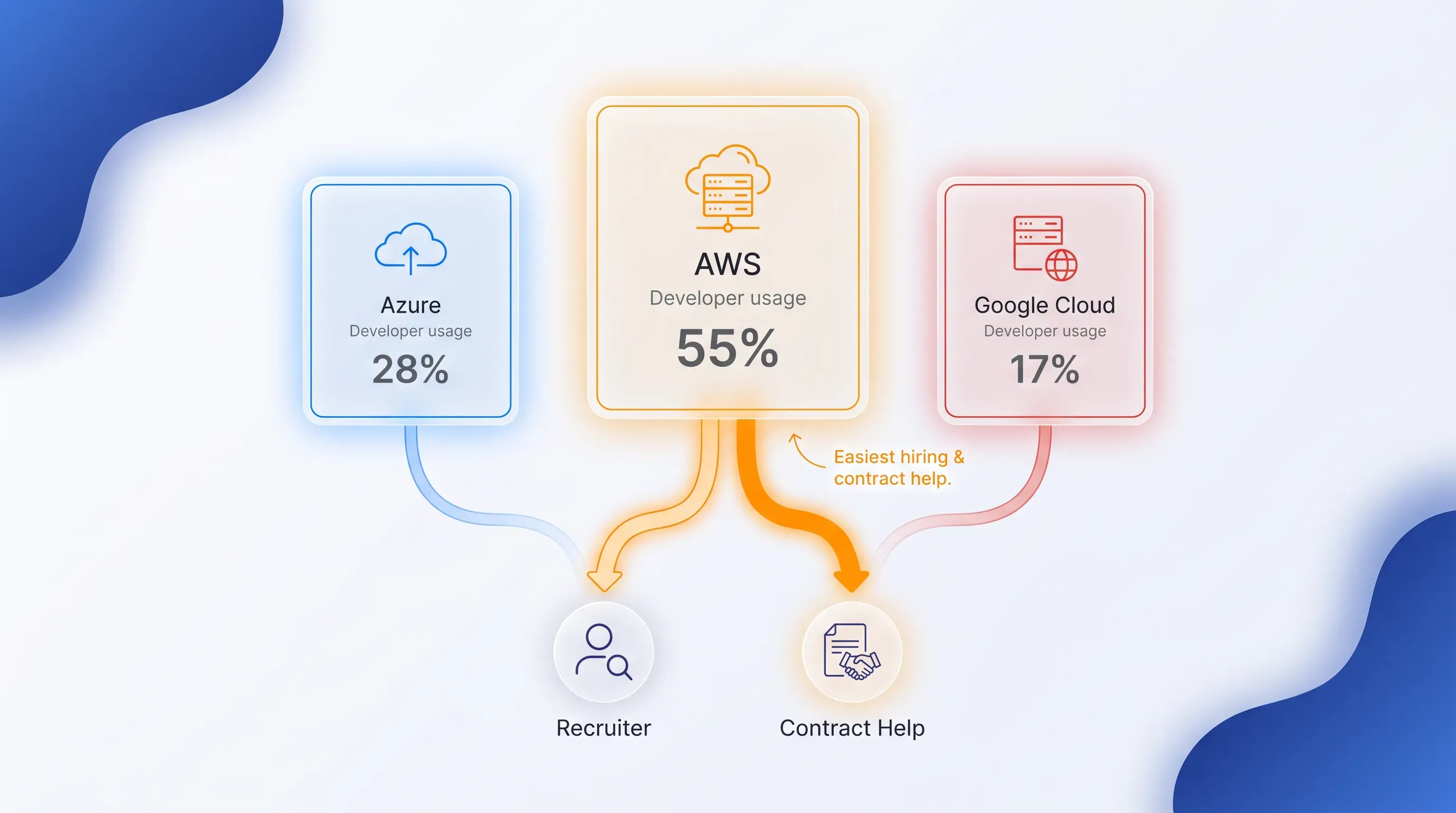
Hiring follows the same order for AWS vs Azure vs GCP. In the 2025 Stack Overflow Developer Survey, 43.3% of respondents reported using AWS, with Azure at 26.3% and Google Cloud at 24.6%. That gap is smaller than it was, but it still means AWS experience is the easiest to recruit for and the easiest to find contract help on when something breaks at 2am.

A glassmorphic tech hub scene with frosted-glass cards for AWS, Azure, and Google Cloud, featuring smooth connectors and ambient lighting.

Credits change the timing

Credit programs for AWS vs Azure vs GCP differ more than the headline numbers suggest, and the differences are in eligibility and clock speed. Google's early-stage tier gives seed to Series A companies $200,000 over two years as up to $100,000 in year one and 20% of spend up to another $100,000 in year two, and AI-first startups receive $350,000. Pre-funded teams get $2,000 for MVP work.

AWS splits its program in two. The self-service Founders tier is aimed at bootstrapped companies and requires no referral, while the Portfolio tier runs through accelerators and venture firms and reaches up to $200,000 based on your provider's level. Applying for Founders first doesn't block a later Portfolio application.

Microsoft takes the most incremental approach. Founders Hub credits scale from roughly $1,000 at the self-serve entry point to $150,000 at the top tier, unlocked as you demonstrate usage, and the bundle includes GitHub Enterprise and Microsoft 365. No equity, and no investor requirement to start.

Here's the trap. Credits are a timing instrument. A managed service that's free under credits is not free in month 15, and by then you've built three systems that depend on it. Decide your architecture on what it costs when you're paying, then let credits buy you the runway to get there.

Costs beyond compute

Compute is the line item everyone estimates and rarely the one that surprises them. The surprises live in networking. An Application Load Balancer on AWS starts at $0.0225 per hour before capacity units, which is about $16.43 a month for a load balancer routing nothing at all.

NAT gateways are worse, because the cost stacks in three layers. You pay $0.045 per hour for the gateway plus $0.045 per gigabyte processed, and then egress to the internet adds $0.09 per gigabyte on top. That's $0.135 per gigabyte for traffic leaving a private subnet, roughly triple what the processing line alone suggests. AWS does include 100 GB per month of free egress across all services and regions, which covers a prototype and nothing more.

Put a modest production setup together and the floor becomes visible. Two small instances and a managed database will land somewhere between $250 and $400 a month on any of the three cloud providers before your first thousand users. The discount mechanics then diverge:

  1. Google applies sustained-use discounts automatically, which reach 30% off on N1 and memory-optimized machine types run for a full billing month, with no commitment or paperwork.

  2. AWS Compute Savings Plans cut up to 66% across EC2 and Lambda, but you commit to an hourly spend figure for one or three years, which is an uncomfortable bet at Series A.

  3. Azure Hybrid Benefit applies existing Windows Server and SQL Server licenses to Azure workloads, and Microsoft publishes savings of up to 85 percent when stacked with reservations.

That last one only helps if you already own the licenses, which most early-stage teams don't for cloud for startups. Flexera's 2025 State of the Cloud Report, which surveyed more than 750 technical professionals, found 84% naming cloud spend management as their top challenge. That's with dedicated finance teams. You won't have one.

Kubernetes without an ops team

Before comparing AWS vs Azure vs GCP, consider whether you need Kubernetes at all. Most pre-Series A products run fine on Cloud Run or App Service, and adopting Kubernetes early buys you flexibility you can't yet use at a price you can feel. If you do need it, the control-plane economics have converged.

Amazon Elastic Kubernetes Service (EKS) charges $0.10 per cluster per hour while your Kubernetes version is in standard support, which lasts 14 months from release. After that the version moves to extended support at $0.60 an hour, a six-fold jump that arrives on a date AWS published years earlier and that you cannot turn off once entered. Upgrading is the only way out.

Google Kubernetes Engine (GKE) charges the same $0.10 per cluster hour but adds a $74.40 monthly credit per billing account, which covers one Autopilot or zonal cluster outright. Autopilot also removes node management entirely and bills on what your pods request. For a team without an operations hire, that's the meaningful difference.

Azure Kubernetes Service (AKS) is the outlier at the entry point. The Free tier costs nothing for the control plane and carries no financially backed uptime guarantee, aimed at development and smaller clusters. The Standard tier costs $0.10 per hour and adds a 99.95% API server SLA when using availability zones, 99.9% without. Verify current rates before you build a budget around any of these, since all three have changed within the last two years.

Data and AI workloads

Analytics volume should drive this AWS vs Azure vs GCP choice more than brand preference. BigQuery's on-demand model fits low or irregular query loads because you pay for bytes scanned and nothing when idle, and the free monthly terabyte absorbs a lot of early exploration. The risk is the same as the benefit: a careless SELECT against a large unpartitioned table bills at full rate.

Redshift is the better fit when your analytics run on a schedule and your team already lives in AWS. Pairing it with SageMaker keeps data movement inside one account boundary, which matters for both cost and compliance. Vertex AI's advantage is that model development and the warehouse share the same platform, so you skip an export step that becomes a maintenance burden.

Azure Synapse and Azure AI make sense when your existing skills and data are already Microsoft-shaped. If your team writes T-SQL and your customers' data arrives through Microsoft systems, fighting that gravity costs more than it saves. Ecosystem dependency is a real input to this decision.

When cloud providers backfire

The pattern shows up constantly: a four-person team picks the platform their strongest engineer wants to learn, builds on managed Kubernetes with three environments and a service mesh, then discovers they're spending $900 a month serving 40 customers and one person's entire week on cluster upgrades. Nothing they chose was wrong on its own. The combination was wrong for four people.

Multi-cluster isolation is where this bites hardest. At $0.10 per cluster hour, running one cluster per team or per environment reaches $720 a month across ten clusters before a single pod starts. That's a sensible pattern at 80 engineers and an absurd one at four.

The failure isn't the cloud providers. All three run this workload competently. The failure is picking a platform configuration built for a company two stages ahead of yours, and then paying the operational tax every week while your product waits.

Switching costs and lock-in

Some early cloud for startups decisions are cheap to reverse and some quietly weld you in place. Postgres on any of the three cloud providers moves with a dump and restore. DynamoDB and Cosmos DB do not, because the data model itself is proprietary and your application code encodes assumptions about it.

Identity is the second trap. Building your permission model directly on Identity and Access Management (IAM) roles or Entra ID groups means your authorization logic is platform-specific in a way that's painful to unpick later. Event systems follow the same rule: Kafka moves, EventBridge and Pub/Sub don't. Analytics stacks are the worst offender, since a year of BigQuery SQL and scheduled queries doesn't translate to Redshift without a rewrite.

Portability is worth paying for in exactly two places. Keep your primary transactional database on a standard engine, and keep your application containerized. Everything else, chase the managed service and accept the coupling, because abstraction layers built to preserve optionality you never exercise are their own kind of waste.

Choose for your workload

There's no winner in AWS vs Azure vs GCP, only a fit for where you are. At pre-seed with no operations capacity, Google Cloud's serverless container path gets you to production fastest. At Series A with an AI or analytics core, Google Cloud stays ahead on integration. At Series A selling into large enterprises, Azure's identity story shortens sales cycles enough to matter. And if you need the widest service catalog and the deepest hiring pool, AWS earns its default status.

Before you commit, work through this:

  • How many engineers can actually own infrastructure, and for how many hours a week?

  • What does your team already know well enough to debug under pressure?

  • Which credit program fits your funding stage, and what happens in month 13?

  • Who buys from you, and what identity system do they run?

  • What are your three largest cost drivers at ten times current traffic?

  • Would you accept running on one platform for three years?

Conclusion

Pick the platform in AWS vs Azure vs GCP that costs you the fewest engineering hours at your current stage, and keep your database and containers portable so the next stage stays open. Credits should shape your timeline.

Pollume builds web apps and cloud infrastructure for early-stage teams with React and AWS as cloud for startups. If you're weighing AWS vs Azure vs GCP for a product you're about to build, get in touch and we'll help you choose and ship it.
Build a monthly estimate from your expected traffic, database size, storage, network egress, and always-on services. Price a normal month and a traffic spike separately. Then remove credits from the estimate, because that figure shows whether the architecture fits your runway after promotional funding ends.

Yes, if you qualify for each provider's program and meet its account rules. Keep the test small and set an end date, since parallel environments create duplicate bills and engineering work. Choose one production platform before customer data and deployment processes become spread across both.

Keep the application in containers and use a standard relational database such as PostgreSQL for core transactional data. Store infrastructure definitions in version control. These choices reduce migration work later, while allowing you to use provider-specific services for functions where portability has little practical value.

Customer identity affects enterprise setup work because buyers often require single sign-on through their existing provider. If target customers use Microsoft Entra ID, Azure can reduce integration friction. Confirm each prospect's security requirements early, since identity architecture is difficult to replace after permissions reach production.

Pollume can assess the product workload, team experience, expected operating costs, and required AWS services before implementation. A useful evaluation should produce a documented architecture, a paid-cost forecast, and clear ownership for routine operations. The decision should still reflect the startup's technical needs and customer requirements.

Book a call

Book a time that works best for you

You Might Also Like

Discover more insights and articles

A diverse group of engineers collaborates around a holographic panel in a luminous, futuristic digital workspace, analyzing live data.

How to Improve Application Scalability as Demand Grows

This article lays out an evidence-led way to decide whether your system actually needs more capacity or just needs the real bottleneck fixed. It gives you a readiness diagnostic and a fixed order for scaling work that keeps delivery moving.

A diverse software team interacts with a holographic panel visualizing a 'Rebuild vs Refactor' decision flow in a futuristic workspace.

Control, Speed, or Cost: Picking Rebuild vs Refactor

This article gives you a repeatable way to make a rebuild vs refactor decision for a legacy system that still runs your business but slows every release. It walks through a scoring framework and a money-and-risk matrix, then uses two composite failure cases to explain a hybrid route you can start without betting the whole platform.

A futuristic digital workspace with a blue gradient background, featuring a business leader and engineer engaging with a holographic diagram.

How to Explain Technical Debt to Business Leaders

This article shows you how to turn a recurring engineering slowdown into a conversation your leadership will act on. You'll learn how to diagnose what is technical debt in one costly hotspot and put a number on what it drains. Then you'll pick the right analogy for the person across the table and present a fix as an investment with a payback window.

A diverse team collaborates in a futuristic digital workspace with a central holographic dashboard and glowing minimalist charts.

What Happens Without application performance monitoring

This article is a diagnostic playbook for tracing a vague "the app feels slow" complaint back to its actual cause. You'll get a working vocabulary and a repeatable checklist. The checklist includes red flags that reveal a team using application performance monitoring without ever finding the bottleneck.